
01 / BUSINESS CONTEXT
Business context
Property teams need visibility into fees, arrears and daily operations. Residents need access to their properties, payments, repairs and service progress. Both experiences connect around the same community workflows.
02 / SYSTEM SCOPE
Business scope
- 01Fees & arrears
- 02Properties & residents
- 03Repairs & service progress
- 04Operational dashboards
PRODUCT / INTERFACES
Inside the product
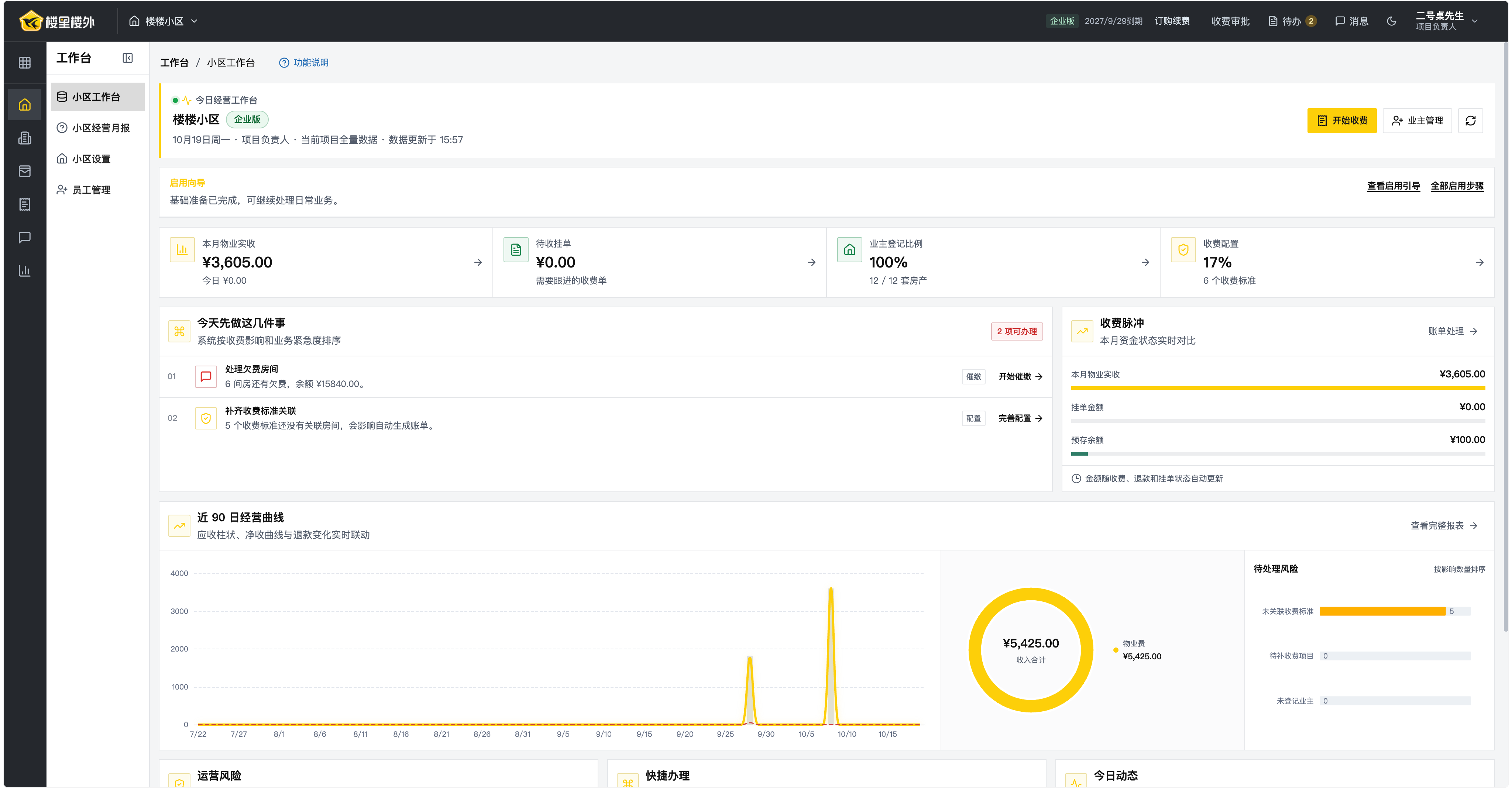
Property teams manage fees, residents and operations in the console. Residents use the mini program to view properties, pay fees and report repairs. Select an image to inspect the demo interface.
ENGINEERING / BUSINESS LOGIC
Follow the business through the system.
Inspect what the supplied interfaces demonstrate, then explore the engineering questions to resolve in a similar project.
01How do fee rules connect to a property?
The console shows fee configuration, arrears, receipts and prepaid balances; the resident portal offers property and payment access.
Reconcile fee rules, properties, bill states and receipts, rather than checking summary figures alone.
02How do residents follow a service request?
The resident portal groups repair reporting, property contacts and service progress.
Trace one request through submission, acceptance, handling and feedback, including errors and retries.
03Where do dashboard figures come from?
The workspace shows receipts, pending collection, registration ratios and operating trends.
Agree on time periods, data scope and calculation rules, then reconcile figures with underlying records.
RECORD / CONTEXT & SOURCE
Project records
The company supplied the property console and resident portal from an acceptance-demo environment.
NEXT / YOUR PROJECT
Related capabilities
Bring this experience into your next system.
LET’S BUILD SOMETHING THAT WORKS.
Bring experience from Property management system into your discussion.
Use the roles and workflows in Property management software to discuss your first-release scope.